 Portfolio of Keith Elder
Michigan State University Capstone Project 2018
by Keith Elder
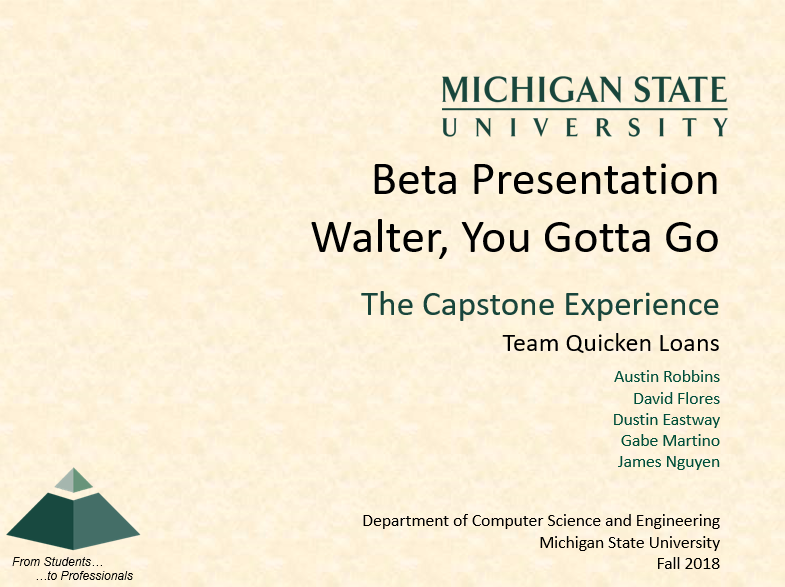
Capstone: Walter, You Gotta Go
What is a Capstone?
A capstone is a collaborative partnership between Michigan State University and multiple businesses ranging from Ford, Chevrolet, Amazon, Google and Rocket Mortgage. Students are broken out into teams and presented with a variety of projects to work on. Students select the project they want to work on and then coordinate with a mentor at each company. The mentors and students meet weekly to check in on progress, answer questions and assess how far the students have gotten. Each company pays $10,000.00 each to participate.
What Made This Capstone Special
- I recruited one hire from the capstone
- I applied the ISM "Simplicity is Genius" when creating this capstone
- I created personalities to describe the different parts of the system
- I used the personalities to highlight our diversity and inclusion
- The problem the students were asked to solve was a real business problem where we thought RPA could be applied
The following is the capstone project I wrote up and submitted to Michigan State University.
Introduction
Robotic process automation, or RPA, takes what is known formerly known as “screen scraping” and combines new technologies including artificial intelligence and machine learning to provide a significant shift in how we think about virtual workers. In days prior, a team member would receive a document via a desktop application and then read information from that document to update another system with the relevant information manually. What RPA does is automates this process by using technology to watch the actions carried out by the team member. RPA captures their clicks, and movements of the mouse to build a “virtual worker” that can carry out the same tasks as a team member. Pretty cool, huh?
Imagine a company has a legacy desktop application or mainframe system, and they want to get rid of it and build a web-based version of that application. Well, there are two choices. One is to spend years rewriting the existing system while still using the legacy system; another is to use RPA to automate what team members do in the legacy app and have information served up to other systems built in newer technology. RPA gives the business the advantage of using newer technology immediately without the need to rewrite everything overnight. The other benefit of RPA is “virtual workers” free up team members to do other things that are more important. So more work gets done overall. For example, if a team member is at lunch, documents do not get processed. However, with a virtual worker, they get processed 24/7 365 days a year.
For this project entitled “Walter, You Gotta Go,” Walter is a legacy desktop application that is getting replaced with a new web-based application deployed to the cloud called Lindsey. The team will use RPA to automate tasks carried out normally in Walter by team members. There are several parts to this project. Everything we’re asking you to work with for this project is using cutting-edge technology today. So, if you are looking for a project that is highly relevant you’ve come to the right place! Ready to get started? Let’s go!
What You’ll Create
For this project, the team will create the following:
- Leroy – A centralized database used by Roger.
- Roger – A web service backed by GraphQL that updates and retrieves information from
Leroy and is used to power the interfaces for Walter and Lindsey. - Walter – A small legacy desktop application that will resemble a typical application used to receive loan information and documents to process a loan. Using RPA, when this application receives a new document from the client (pay stub, W2, bank statement), the virtual worker (Debra) will then review the document inside the application Walter, grab pertinent information from the corresponding document and send that information to Roger to update the backend database Leroy. This updated information will then be automatically updated to be shown in Lindsey, our new web application.
- Lindsey – A website that provides a fresher and newer look compared to the legacy desktop application. Lindsey fetches all data for her front-end via Roger.
- Debra – Virtual RPA Worker which watches Walter for new updates and automates the team member’s task by sending information she finds to Roger.
How Things Will Work
When Walter receives a new client document, Walter should display a “toast window” that a new document is received (research Azure Notifications to handle push notifications). How Walter is sent new documents is up to the team to decide. The toast window notification triggers the virtual RPA worker Debra into action. Debra then navigates the Walter application, locates the new document, scans the document for pertinent information (outlined below) and then calls Roger to update the necessary information.
About Walter
 Walter is a tired legacy application written in .NET WinForms running on Windows. Walter runs on the desktop of a team member that processes and handles documents at Quicken Loans. When you re-create Walter, focus on it being a simple application that shows and browses loan data and is able to view the documents sent to it for processing. There are a lot of built-in controls in WinForms to display data that are simple to use. All the data displayed in Walter will be read from Roger. We’re not concerned about the look and feel for Walter since it is a legacy application. Walter is all about business and no frills. But have fun with it! Pink flamingos on Walter’s lawn are perfectly fine.
About Lindsey
 About Lindsey Lindsey is a brand-new state of the art cutting edge highly sophisticated web application. She is the princess of the mortgage world. She spends countless hours in the mirror every day making sure her CSS and design templates are fit for royalty. Walter doesn’t really like Lindsey all that much because she does everything Walter does but better! Everyone at Quicken Loans loves to work with Lindsey as they are tired of boring old Walter. By leveraging our open source Spark Design System (http://www.sparkdesignsystem.com), you’ll use the exact same CSS framework our engineers use at Quicken Loans. It is very well documented and easy to use and will help you create a consistent user experience. As you build Lindsey, think about how data is structured and managed. If you were a team member at Quicken Loans using Lindsey day in and day out to input data, think about the usability of the application. Remember less clicks is better when inputting data! While Walter will still receive documents and process them until we get time to move all functionality to Lindsey, Lindsey is what we are moving forward with for the future. Sorry Walter! Remember, Lindsey will get all her data from Roger.
About Debra
 Debra is all about getting things done. She’s serious about her work. Not only is she serious, she’s fast. She’s able to process documents and information quickly. She quietly gets her work done. No one even knows she is there. Debra is always working, she never takes a vacation or a break, even when things get rough. Debra also gets smarter each and every year. She learns new tricks constantly and is able to figure things out as new and different type of work come her way.
When Debra finds a pay stub, she calls Roger to update the Person table with salary information, employer name and title if found. Because clients must send in their last consecutive two pay stubs, these stubs need to be compared to calculate how the client gets paid (weekly, bi-weekly, monthly) and use the income to update the salary information.
When Debra finds a W2, she calls Roger to update the Person table SSN.
When Debra finds a bank statement, she calls Roger to update the Person table with checking / savings information and bank name.
Stretch Goal – Make Debra smart by auto-identifying an “unknown” document type using RPA / OCR and then processing it.
About Roger
 If you ask Roger, he thinks he is the brains behind the curtain that makes everything work. The truth be told, without Roger, Walter and Lindsey can’t display their data. Roger understands that while Walter and Lindsey use his services today, Roger is smart, and knows that someone else is going to come along that is going to ask for the same information but probably in different ways. This is why Roger is built using GraphQL. GraphQL allows applications like Walter and Lindsey to request data in different ways and Roger can handle it without having to build new functionality. As new versions of Walter and Lindsey evolve, Roger is able to handle different versions, even simultaneously. Roger is cool, but don’t tell him that, it’ll go to his head.
About Leroy
 When Leroy was born in 2018 his first word was “data”. Ever since then, he’s been storing important client data. While Roger thinks no one can do without him, without Leroy, Roger is useless. Leroy and Roger work really close together. As Leroy changes to store new data, Roger easily adapts to it.
Database Model for Leroy
All primary lookup IDs should be a GUID, not an autoincrementing number.
The following are the three tables you will create in Leroy. The Person table is the primary table. The Loan table has a relation to Person and the Document table has a relation to Loan. Thus, documents are associated with loans and loans are associated with persons. A person can have
more than one loan at a time.
The information highlighted in green will be updated by Debra by reading the documents received in Walter.
Students will generate their own “fake” data to populate the database. There are tools that do this automatically so be sure to explore those options.
Person – PersonId, FirstName, LastName, Email Address, Phone, Street, City, State, Zip, YearlySalary, SSN, EmployerName, Title, BankName, CheckingAmount, SavingsAmount,
CreateDate, LastUpdateDate
Loan – LoanId, PersonId, Type (Purchase/Refinance), Amount, PropertyStreet, PropertyCity,
PropertyState, PropertyZip, CreateDate, LastUpdateDate, ClosingDate, Status (New, In Process, Underwriting, Funded)
Document – DocumentId, LoanId, DocumentType(unknown, pay stub, W2, bank
statement), DateReceived
Required Technologies
- To build everything - Visual Studio using C# language deployed using Microsoft Azure
- To build Debra - RPA Software (free download or open source, see suggested resources)
- To build Leroy – Azure SQL, deployed to Microsoft Azure
- To build Walter - .NET WinForms, deployed to Azure using ClickOnce deployment
- To build Roger – GraphQL, a way to build APIs designed by FaceBook
- To build Lindsey - ASP.NET CORE (students may select any front-end JavaScript
framework they want to build the site with), deployed using Microsoft Azure
The CSS for the site should be powered by our open source framework
https://sparkdesignsystem.com/
Suggested Resources
- Signing up for Imagine at Microsoft, you can download and use all of the technology required. More information is here: https://imagine.microsoft.com/en-us/about
- https://en.wikipedia.org/wiki/Robotic_process_automation
- https://en.wikipedia.org/wiki/Pop-up_notification (aka toast window)
- https://www.uipath.com/community-edition-download RPA Software, free for academia use
- http://graphql.org